
Why Is My Business Not Showing on Google Maps?
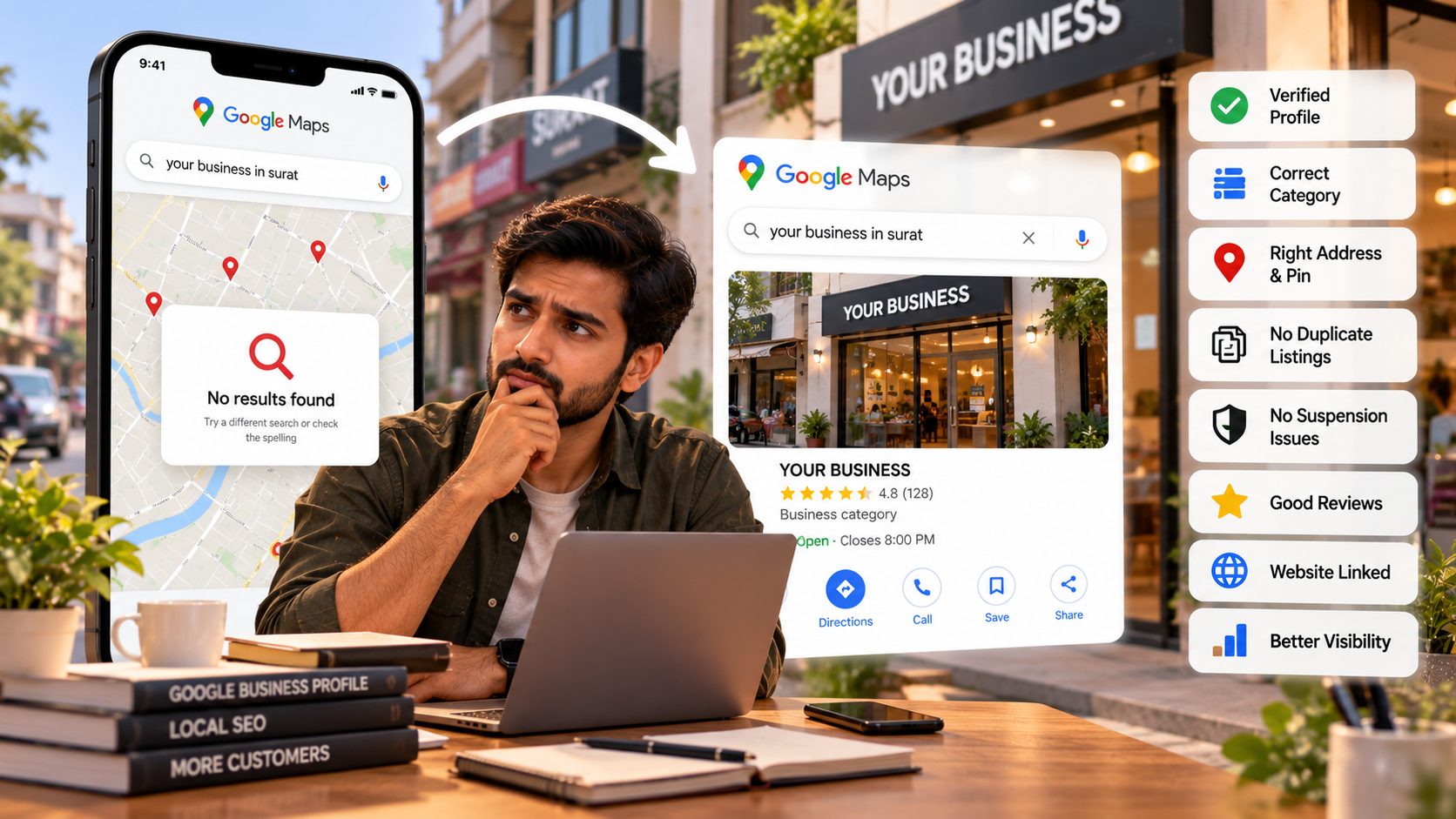
If your business is not showing on Google Maps, the most common reasons are that your Google Business Profile is not verified, it has been suspended, the pin or address is wrong, or it exists but ranks too low for the search you are trying. Each of these has a different fix. Start by searching your exact business name on Google Maps: if you appear for your name but not for "dentist near me", it is a ranking problem, not a listing problem.
We set up and fix Google Business Profiles for businesses in Surat and across India, and the same handful of issues come up again and again. Here is how to find yours and what to do about it.
Is my Google Business Profile verified?
Check this first. An unverified profile may not appear on Maps at all, or may appear with limited information.
Sign in to the Google account you used to create the profile and search for your business name on Google. If you own it, you will see your profile management panel. If it says verification is needed, follow the steps shown.
Google currently offers different verification methods depending on your business, and you cannot always choose. These can include:
Video recording:
you record a short continuous video at your business, showing the location (signboard, street, nearby shops), your business itself, and proof you manage it (for example, opening a staff-only area or your billing counter). You must be at the location to do this.
Phone or SMS code,
if your listing is eligible.
Email,
for some businesses.
Live video call
with Google support, usually offered after problems.
Postcard
with a code, now much less common.
Google says verification can take up to about five business days, sometimes longer. If your video is rejected, the usual reasons are that the signboard was not visible, the video was cut, or it did not clearly connect you to the business.
Did I choose the wrong business category?
A wrong or vague category is one of the most common reasons a business does not appear for the right searches. Your primary category tells Google what your business is.
Google's guidelines say to pick as few categories as possible, and as specific as possible, describing what your business is, not what it has. A dental clinic should use "Dentist" or "Dental clinic", not "Health". A CA firm should use "Chartered accountant", not "Consultant". Do not use categories as keywords.
Search for your top competitors on Maps and see which categories they use. Then make sure your primary category matches the main service people search for.
Is my address or map pin wrong?
If your pin is in the wrong place, Google may show you for the wrong area, or not at all for nearby searches. This is very common in India where addresses use building names, landmarks and society names instead of clear street numbers.
Check that:
The pin sits exactly on your building, not the middle of the road or a nearby plot.
Your address matches what is on your signboard, GST certificate or utility bill.
The PIN code is correct.
Your address has no extra keywords added to it.
Google's rules require a real, physical location with permanent signage. Virtual offices and mailing addresses are not allowed. If you work from home and visit customers (an electrician, a tutor, a home caterer), you should set up as a service-area business and hide your home address instead.
Do I have duplicate listings?
Duplicate listings split your reviews and confuse Google, and can lead to one or both being suppressed. Google allows only one profile per business per location.
Duplicates often appear when someone else created a listing years ago, when you moved and created a new profile, or when a previous agency made one. Search for your business name, phone number and old addresses on Maps. If you find a duplicate you own, you can remove it from your account. If you do not own it, use "Suggest an edit" to report it as a duplicate or closed, or request ownership.
Why was my Google Business Profile suspended?
Profiles are usually suspended for breaking Google's guidelines, often by accident. The most common causes we see are:
Adding keywords to the business name (for example "Sharma Dental Clinic, Best Dentist in Surat"). Your name must match your real-world signboard.
Using a virtual office, co-working desk or residential address that does not meet the rules.
Showing an address when you are actually a service-area business with no storefront.
Making big changes (name, address, category) all at once.
Creating multiple profiles for the same business.
To fix a suspension, first correct whatever broke the rules, then submit an appeal from the profile. Google's help page suggests evidence such as your business registration, licence, tax certificates (for example GST) or utility bills, with the business name and address matching the profile. Do not create a new profile while the appeal is under review. That usually makes things worse.
Why does my business show for its name but not for "near me" searches?
This is a ranking issue. Google says local results are based mainly on three things: relevance, distance and prominence.
Relevance:
how well your profile matches what someone searched for. Complete, detailed information helps.
Distance:
how far you are from the person searching, or from the location in their search. You cannot change this, which is why someone 2 km away may beat you.
Prominence:
how well-known your business is. Google says reviews, ratings and links from other websites play a part.
Google also says clearly that there is no way to pay for a better local ranking.
Do reviews help me show up on Google Maps?
Yes. Google states that more reviews and positive ratings can help your local ranking.
Ask happy customers for a review straight after a good experience, and make it easy by sharing your review link on WhatsApp. Reply to every review, good and bad, politely. Never buy reviews or offer discounts in exchange for them. Fake reviews break Google's policies and can get removed or put your profile at risk.
Does having a website help my Google Maps ranking?
A good website helps. It gives Google more information about your services and location, and it gives customers somewhere to go before they call.
Make sure your business name, address and phone number are exactly the same on your website, your Google profile, and other listings like Justdial, IndiaMART or Practo. Inconsistent details make it harder for Google to trust your information. Add a link to your website on your profile, and put your Google Map and address on your contact page.
For example, a dental clinic we worked with went from 25 to 58 patients a day within two months of launch, with appointment calls up 63%. That came from the website and local presence working together, not from one in isolation.
How long does it take to fix a Google Maps problem?
It depends on the problem. A rough guide:
Verification:
usually a few days, sometimes longer if Google asks for more proof.
Edits to category, hours or details:
often visible within a few days, though some edits go through review.
Suspension appeals:
can take anywhere from several days to a few weeks.
Ranking improvements:
these are gradual. Reviews, a better website and consistent details build up over weeks and months.
FAQ
Can I list my business on Google Maps if I work from home? Yes, as a service-area business with your address hidden, if you travel to customers. If customers visit your home office, you need permanent signage and set hours.
Why can't customers see my new Google Business Profile? It may still be under verification or review. New profiles can take a few days to appear fully.
Should I add "best" or my city to my business name? No. Your name must match your real signboard. Adding keywords is a common reason for suspension.
Can I have two listings for two branches? Yes, one profile for each real location with its own staffed address and signage.
How many photos should I add? There is no fixed number. Add real, recent photos of your storefront, interior, team and work, and keep adding new ones.
Still not showing up on Google Maps?
If you have tried the steps above and your business is still missing or stuck, we can take a look. Mago Labs offers a free website audit that includes a check of your Google Business Profile, with clear next steps. Message us on WhatsApp at +91 9099245605.