Why Is My Website Not Getting Traffic? 10 Reasons and How to Fix Them
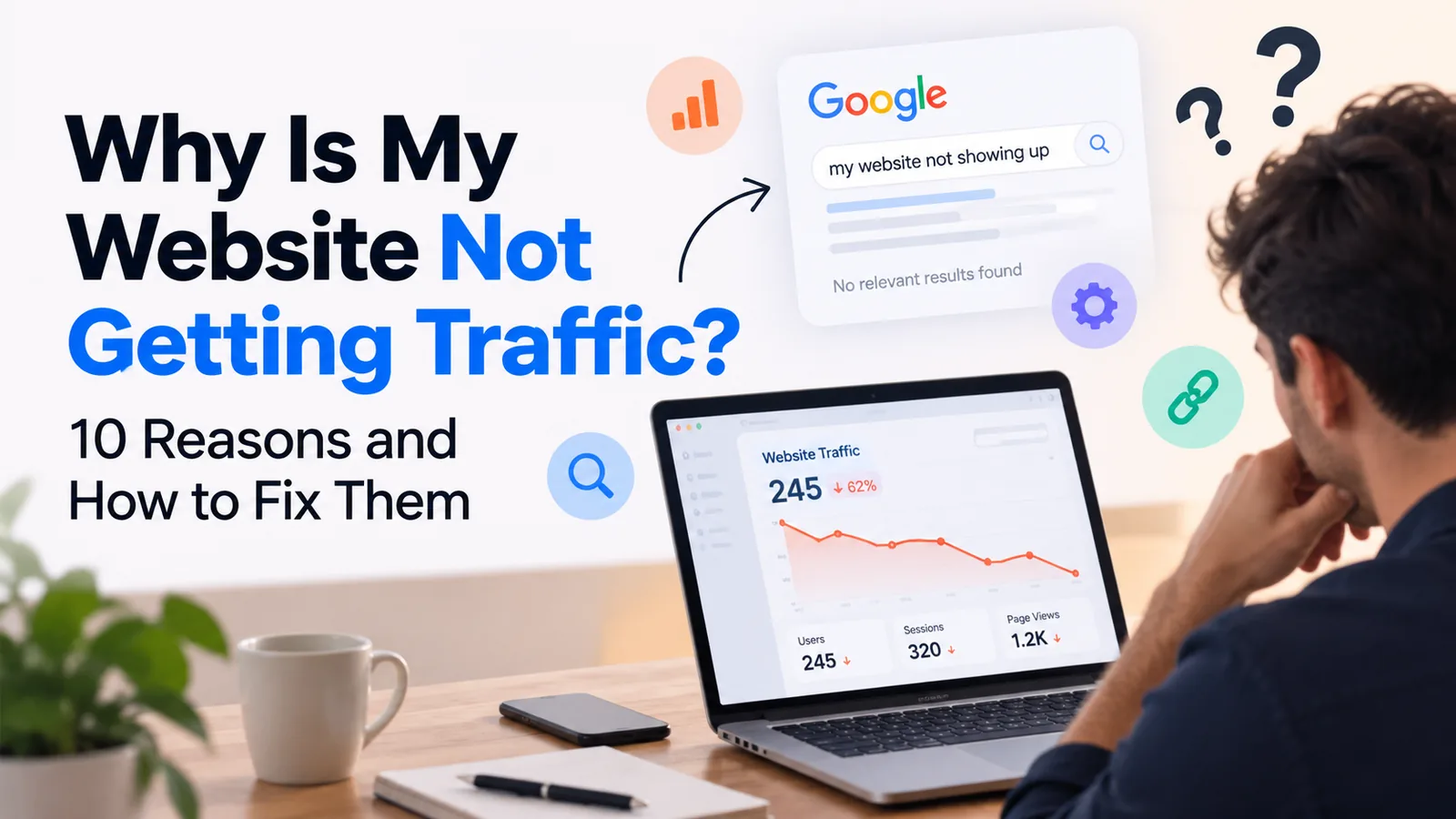
You launched your website, added your services, published your contact details, and waited for customers to find you. But the traffic is barely moving.
If you are asking, "Why is my website not getting traffic?", you are not alone. Many business websites struggle to attract visitors from Google, even when the business itself offers excellent products or services.
The problem is not always your website design. Your website may not be indexed by Google, your pages may target the wrong keywords, your content may not answer what people are searching for, or your competitors may have stronger SEO.
The good news is that most website traffic problems can be investigated systematically.
In this guide, we will explain why your website is not getting visitors, how to check whether your website is visible on Google, and what you can do to increase website traffic organically.
Quick Answer: Why Is My Website Not Getting Traffic?
Your website may not be getting traffic because:
Google has not indexed your website or important pages.
Your website is targeting keywords that people do not search for.
Your pages are not ranking high enough on Google.
Your website content is thin, outdated, or unhelpful.
Your website has technical SEO problems.
Your website is slow or difficult to use on mobile devices.
Your competitors have more relevant content and stronger backlinks.
Your page titles and meta descriptions do not attract clicks.
You are not promoting your website through other channels.
You are not tracking website traffic correctly.
Before publishing more blogs or redesigning your website, identify which of these problems is affecting your site.
1. Your Website Is Not Indexed by Google
One of the first things to check when your website is not getting traffic is whether Google has indexed your pages.
Indexing means Google has processed a page and may include it in its search results. If a page is not indexed, it generally cannot rank in Google's organic search results.
This is particularly important if you have recently launched a new website.
How to check if your website is indexed
Open Google and search for:
site:yourdomain.com
Replace "yourdomain.com" with your actual domain name.
If Google displays your pages, it has indexed at least some content from your website. If no results appear, investigate further using Google Search Console. This search operator is a useful initial check, but it is not a complete or definitive indexing report.
How to fix website indexing problems
Set up Google Search Console.
Submit your XML sitemap.
Inspect important URLs using the URL Inspection tool.
Check whether important pages have a
noindexdirective.Review your robots.txt file for unintended crawling restrictions.
Fix server errors and broken internal links.
Make sure important pages can be reached through your website navigation and internal links.
Submitting a sitemap helps Google discover your URLs, but it does not guarantee indexing.
If your website is not showing up on Google, solve indexing and crawling problems before focusing on more advanced SEO techniques.
2. You Are Targeting the Wrong Keywords
Another common reason for low website traffic is targeting the wrong search terms.
Your website may describe your business perfectly from your perspective, but potential customers may use completely different words when searching online.
For example, a company might describe its services as "innovative digital solutions." However, a customer who needs a website may search for "website design company for small business" or "affordable website design services."
If your website does not address the language your customers use, it may struggle to appear for relevant searches.
How to find keywords people actually search for
Start by researching phrases related to your products, services, and customers' problems.
For a website design agency, useful keyword ideas include:
Why is my website not getting traffic?
How to increase website traffic
Why is my website not showing up on Google?
How to get more visitors to my website
Website design for small businesses
How much does a business website cost?
How to improve website SEO
Why is my website not ranking on Google?
How to get more leads from my website
Is SEO worth it for small businesses?
These are relevant search-query examples, not a verified ranking of search volumes. Use Google Keyword Planner, Google Search Console, and Google Trends to validate demand for your target market.
How to use keywords on your website
Choose one primary search topic for each page. Include it naturally in the page title, main heading, relevant subheadings, introduction, and body content.
Use related terms where they help explain the subject. Do not repeat the same phrase in every paragraph just to increase keyword density.
The goal is to match the words your customers use with content that genuinely answers their questions.
3. Your Website Is Not Ranking on the First Page of Google
Your website can be indexed and still receive almost no organic traffic.
Why? Because being indexed does not mean ranking prominently.
If your page appears on page five of Google for a competitive search term, relatively few searchers may discover it.
Google evaluates many signals when determining search rankings. Relevance, content quality, usability, links, and the context of the search all matter. There is no single SEO trick that guarantees a first-page position.
How to improve Google rankings
Start with these actions:
Target specific keywords that match your services and audience.
Create useful, original content that satisfies the search intent.
Improve page titles and headings so the topic is clear.
Link related pages together using descriptive internal links.
Make sure your website works well on mobile devices.
Earn relevant links and mentions from reputable websites.
Update outdated content when the information is no longer accurate.
Monitor impressions, clicks, and average position in Google Search Console.
If your business website is new, competing immediately for broad terms such as "web design" may be unrealistic. Start with more specific topics, such as website design for a particular industry or solutions to a clearly defined customer problem.
Build relevance and credibility over time rather than chasing every popular keyword.
4. Your Website Content Is Too Thin or Generic
A website can look beautiful and still fail to attract search traffic.
This happens when pages contain very little useful information, repeat the same generic marketing statements, or provide no clear answers to the questions customers ask.
For example, a service page that says "We provide high-quality solutions tailored to your needs" tells a visitor very little about what you actually do.
Searchers need specific information. They want to understand your services, process, pricing expectations, experience, and whether you can solve their problem.
How to create SEO-friendly website content
Make every important page useful on its own.
For a website design service page, consider including:
The businesses and industries you serve.
The problems your website design service solves.
Your design and development process.
Features and deliverables.
Relevant portfolio projects or case studies.
Answers to common pricing questions.
Frequently asked questions.
A clear next step for contacting your business.
For blog posts, answer the main question early, explain the reasons behind the problem, and provide practical steps readers can follow.
Avoid publishing dozens of nearly identical articles simply to target different keyword variations. A smaller collection of comprehensive, genuinely useful articles is often a better starting point.
5. Your Website Has Technical SEO Problems
Technical SEO helps search engines discover, crawl, understand, and index your website.
Some technical problems can prevent pages from appearing in search results. Others may make it harder for search engines to understand your pages or provide a good user experience.
Common technical SEO issues
Broken links: Visitors and crawlers encounter pages that no longer exist.
Incorrect canonical tags: A page points search engines toward a different URL as the preferred version.
Accidental noindex directives: Important pages are excluded from search indexing.
Crawling restrictions: Robots.txt rules block resources or pages that should be accessible.
Duplicate content: Multiple URLs contain substantially similar content without a clear preferred version.
Redirect problems: URLs redirect through unnecessary chains or lead to irrelevant destinations.
Missing page metadata: Important pages have unclear titles or lack useful descriptions.
How to check technical SEO
Use these tools to investigate problems:
Google Search Console for indexing reports and URL inspection.
Google PageSpeed Insights for performance diagnostics.
A website crawling tool for broken links, redirects, and metadata issues.
Your website analytics platform to investigate traffic changes.
Do not assume every SEO warning is equally important. Prioritize issues that affect important pages, search visibility, and actual visitors.
6. Your Website Is Too Slow or Difficult to Use on Mobile
Many people visit websites using smartphones. If your website loads slowly, has unreadable text, displays poorly on smaller screens, or makes it difficult to contact your business, visitors may leave before exploring your services.
Website speed and mobile usability can affect the user experience and may contribute to search performance. However, a slow website is not automatically the only reason traffic is low.
How to improve website performance
Compress and resize images appropriately.
Use modern image formats where suitable.
Remove unnecessary JavaScript and third-party scripts.
Reduce excessive animations that delay meaningful content.
Use efficient hosting and caching where appropriate.
Make buttons, navigation, and contact details easy to use on mobile.
Avoid intrusive pop-ups that obstruct the page.
Test important pages on actual mobile devices.
Use Google PageSpeed Insights to identify performance issues and review Core Web Vitals where data is available.
Focus on improvements that make the site faster and easier to use, rather than chasing a perfect score without considering real visitors.
7. Your Competitors Have Stronger SEO and Backlinks
Even if your website is technically sound, competitors may outrank you because they have more relevant content, stronger reputation signals, and more established websites.
This is common in competitive industries such as web design, digital marketing, legal services, and financial services.
If established competitors have published useful content for years, a new website may need time to earn visibility.
How to compete with established websites
Start by analysing the pages already ranking for your target keywords.
Ask yourself:
What questions do the top-ranking pages answer?
Do they provide examples, original research, or useful illustrations?
Are their service pages more specific?
Do they have credible case studies and client references?
Are relevant industry websites linking to them?
Can you provide a more useful answer for a specific audience?
Create content that adds genuine value rather than simply rewriting what competitors have already published.
You can also build relevant backlinks by contributing expert commentary, collaborating with industry partners, publishing original case studies, and earning mentions from reputable websites.
Avoid buying large quantities of low-quality links or using automated link schemes. These tactics can create risk without building lasting authority.
8. Your Page Titles and Meta Descriptions Are Not Getting Clicks
Your website may appear in Google search results without receiving many clicks.
This can happen when your page ranks too low, targets the wrong query, or displays a title and description that do not communicate its value clearly.
For example, a page title such as "Home | Company Name" tells a searcher very little.
A more descriptive title might be:
"Website Design for Small Businesses | Mago Labs"
For a blog post, a title such as "Why Is My Website Not Getting Traffic? 10 Fixes" communicates the topic and the value of the article.
How to improve organic click-through rate
Write a unique, descriptive title for every important page.
Make sure the title accurately reflects the page content.
Use your main keyword naturally.
Explain the value of reading the page.
Write a concise, relevant meta description.
Avoid misleading promises and keyword stuffing.
Compare clicks and impressions in Google Search Console.
Google may generate a different title link or snippet based on the search query and page content. Writing good metadata helps communicate relevance, but it does not guarantee that Google will display your exact wording.
9. You Are Not Promoting Your Website
SEO can be a valuable source of long-term traffic, but it is not the only way to attract visitors.
If you publish an article and never share it, distribute it, or connect it with relevant pages, it may take longer to attract attention.
This is particularly true for new businesses that have not yet built a strong search presence.
Practical ways to increase website traffic
LinkedIn: Share useful insights from your blog with an audience relevant to your services.
Industry communities: Participate in relevant discussions and share resources when they genuinely answer a question.
Email marketing: Send useful articles to subscribers and existing customers where appropriate.
Google Business Profile: Keep your business information accurate and use relevant website links where applicable.
Internal linking: Link from related service pages and articles to help visitors discover more relevant content.
Partnerships: Collaborate with complementary businesses, agencies, and industry professionals.
Social media: Repurpose useful blog insights into short posts, carousels, or videos.
Do not treat every channel as equally important. Choose the channels your target customers actually use and track which ones produce relevant visitors and enquiries.
10. You Are Not Measuring Website Traffic Correctly
Sometimes a business owner believes the website receives no traffic because analytics have not been configured correctly.
Before changing your SEO strategy, confirm that you can measure what is happening.
Use Google Search Console and Google Analytics
Google Search Console helps you understand how your website performs in Google Search. It reports impressions, clicks, search queries, and average position.
Google Analytics can help you understand how visitors reach your website, which pages they visit, and what actions they take, provided tracking is configured correctly.
These tools answer different questions.
If Search Console shows impressions but few clicks, investigate rankings, search intent, and how your search result appears.
If Search Console shows clicks but analytics reports no corresponding organic visits, check your analytics implementation, date ranges, consent settings, and reporting filters. The two systems do not measure traffic in exactly the same way, so their numbers will not always match.
If traffic is increasing but enquiries are not, investigate the quality of visitors, landing-page content, trust signals, and the contact process.
This distinction matters because getting more website traffic and getting more customers are two different goals.
How to Increase Website Traffic: A Practical 30-Day Plan
If your website is receiving very few visitors, do not try to fix everything at once. Start with a structured plan.
Week 1: Diagnose the problem
Set up Google Search Console if you have not already.
Check whether important pages are indexed.
Submit your sitemap.
Review the last three months of impressions and clicks, where data is available.
Check for obvious technical SEO issues.
Week 2: Improve existing pages
Choose one primary search topic for each important page.
Rewrite unclear page titles and headings.
Improve service descriptions and calls to action.
Add relevant internal links.
Fix broken links and other significant technical issues.
Week 3: Publish useful content
Research customer questions using Google autocomplete and keyword tools.
Publish one or two comprehensive articles around relevant topics.
Add real examples, original insights, and actionable advice.
Link the articles to relevant service pages.
Share the articles through appropriate marketing channels.
Week 4: Review and improve
Check which pages are receiving impressions.
Identify relevant search queries that have begun appearing.
Compare clicks with impressions.
Improve pages that receive impressions but few clicks.
Plan additional content around related questions and customer needs.
Thirty days is enough to establish a process and identify early signals. It is not a guarantee of higher rankings or meaningful organic traffic. SEO improvements may take longer to produce measurable results.
Frequently Asked Questions
Why is my website not getting traffic even after SEO?
Your website may still receive little traffic if it targets highly competitive keywords, has not built sufficient relevance, lacks useful content, or has technical problems. Review indexing, search impressions, rankings, and clicks in Google Search Console to identify the actual bottleneck.
Why is my website not showing up on Google?
Your website or particular pages may not have been indexed, may be blocked from crawling, or may rank too low to appear for the searches you are trying. Check the Pages report and URL Inspection tool in Google Search Console before making assumptions.
How do I get more visitors to my website?
Research relevant keywords, create useful content, improve important service pages, address technical SEO issues, earn relevant mentions and links, and promote your content through suitable channels. Monitor the results and invest more effort in approaches that attract your intended audience.
How long does it take for a website to get traffic from Google?
There is no fixed timeline. A new website may take weeks or longer to be discovered and indexed, while meaningful rankings and traffic growth can take months or more, particularly in competitive markets. Existing websites may see faster improvements when fixing clear technical or content problems, but outcomes are not guaranteed.
Does a beautiful website automatically get traffic?
No. Website design can help establish trust, communicate your services, and improve the visitor experience, but appearance alone does not guarantee search visibility. Your website also needs relevant content, technical accessibility, appropriate keyword targeting, and a strategy for reaching potential customers.
Can I increase website traffic without paying for ads?
Yes. Organic search, helpful content, relevant backlinks, social media, partnerships, email marketing, and other unpaid channels can bring visitors to your website. These approaches still require time and effort, and results depend on your audience, competition, and execution.
Is SEO worth it for a small business?
SEO can be worthwhile when potential customers search online for the products or services a business provides. Its value depends on search demand, competition, conversion rates, the value of each customer, and the resources required to achieve and maintain visibility.
Final Thoughts
If your website is not getting traffic, publishing more blogs or redesigning the homepage may not solve the problem.
First, determine whether Google can find your pages. Then investigate the keywords you target, the quality of your content, your rankings, your technical setup, and how effectively you promote your website.
Use data rather than guesswork to decide what to fix next.
At Mago Labs, we help businesses build professional websites with a focus on user experience, search visibility, and business goals. If your website is struggling to attract relevant visitors or generate enquiries, explore our website design and digital marketing services to see how we can help you identify opportunities for improvement.
A website should do more than exist online. It should make it easier for the right people to discover your business, understand what you offer, and take the next step.